
Huawei Watch Ebook Reader for HarmonyOS
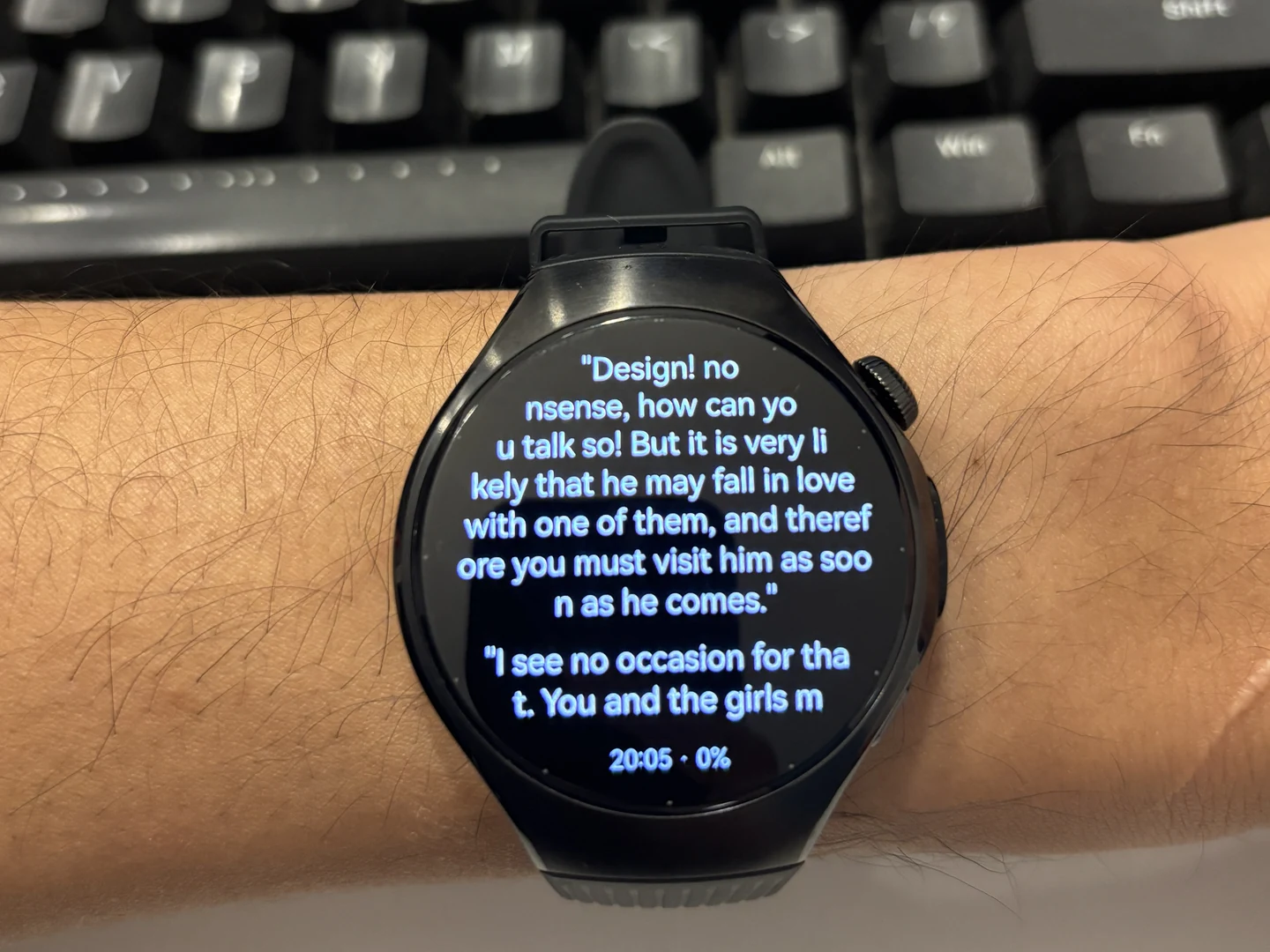
WristTale supports native HarmonyOS smartwatches running HarmonyOS 5.0 or later, with HUAWEI WATCH 5 verified on a real device. Organize TXT books on your HarmonyOS phone, send them to the paired Huawei watch, and read offline once they are saved.
Get WristTale on Huawei AppGallery · See the compatibility table
Which Huawei watches are supported?
| Item | Current support |
|---|---|
| Verified watch | HUAWEI WATCH 5. The photographs on this page show the app running on that watch. |
| Watch system | Native HarmonyOS smartwatches running HarmonyOS 5.0 or later. Check that AppGallery offers the app for the specific device. |
| Phone | A compatible HarmonyOS phone with WristTale installed; phone book transfer requires HarmonyOS 5.0 or later. |
| Installation | WristTale from Huawei AppGallery, with the phone and watch apps installed on their respective devices. |
| Reading files | Import TXT books or text notes on the phone, then send them to the watch. |
| Offline reading | Read the copy saved on the watch without an active book-transfer connection. |
| Other Huawei series | This native watch release does not include WATCH GT or WATCH FIT. A shared Huawei brand name does not imply the same app platform. |
Other native HarmonyOS watches that meet the system requirements are not automatically listed as tested. The model status table separates verified devices, devices requiring further checks, and unsupported series.
Install and send your first book
- Open WristTale in AppGallery on your HarmonyOS phone and install the phone app.
- Install WristTale for the compatible watch through its application market. Open the phone and watch apps, with the watch paired to this phone through the system.
- Import a TXT book into the phone app. Review the text and chapters before sending.
- Choose your paired Huawei watch and send the book. Keep the devices connected until the watch confirms that it has saved the content.
- Open the saved book in the watch library. You can continue reading that content offline.
The Huawei watch route uses the phone/watch system pairing. The HarmonyOS-phone-to-Garmin guide describes a different destination and transfer flow; its Garmin pairing-code instructions are not the installation steps for WATCH 5.
What reading looks like on WATCH 5
The photos show both English and Chinese text on the watch's black reading background, with the time and progress below the text. The WATCH 5 app supports touch navigation, font-size adjustment, reading themes, and automatic page turning. Saved books stay in the watch's library for later reading.
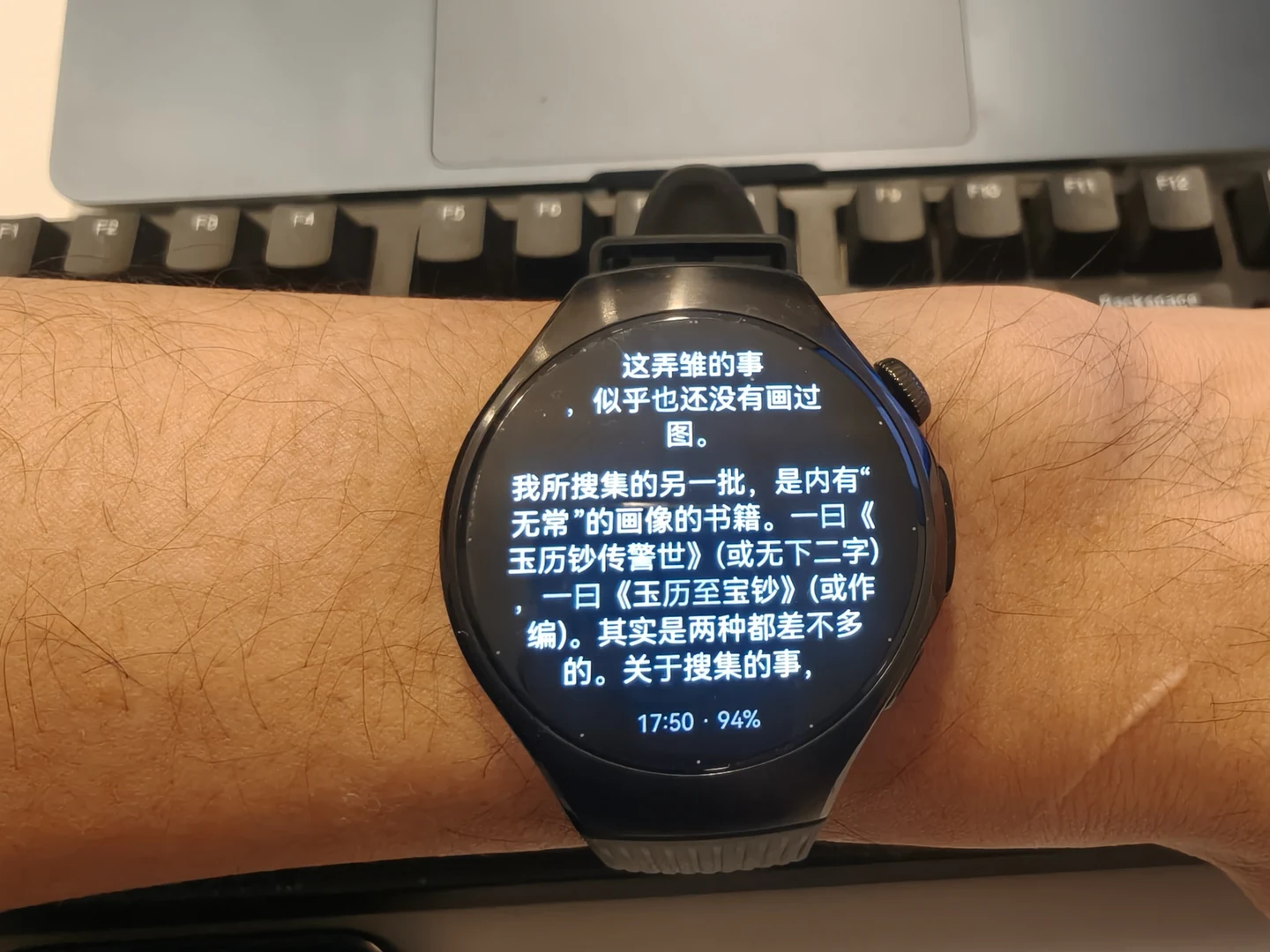
These are WATCH 5 photographs, not evidence that every Huawei model has been tested. Read the HarmonyOS release story for the background to this addition to the WristTale family.
Formats, pricing, and limits
- Start with TXT. This page documents TXT import and transfer in the HarmonyOS app. EPUB, PDF, and Kindle files are not direct imports for this workflow; obtain a readable TXT version of content you are entitled to use first. Renaming a file extension does not convert a book.
- Prepare books on the phone. Offline reading begins after the watch saves the content. Installation and initial transfer still need the appropriate phone and connection.
- Check the correct device family. WATCH 5, WATCH GT, and WATCH FIT are different product families. This release does not establish support for the latter two.
- Check current entitlements. Availability, prices, and any current offers are shown in AppGallery or the app. Previous limited-time offers are not an ongoing free-use promise.
If the book is missing on your watch
Check that WristTale is installed and opened on the watch, that it is paired with the HarmonyOS phone you are using, and that the watch confirmed saving the book. If the phone's transfer was interrupted, complete the transfer and check the watch library again before trying offline reading.
Use Wear OS instructions for a watch installed through Google Play, or the local Android installation guide for a compatible non-GMS Android watch. These are separate routes with separate requirements.
Support information reviewed on November 4, 2026. App installation is available through Huawei AppGallery; the shared compatibility table records the current device verification scope.