
WristTale 1.1.2 is now available.
This release improves the full reading workflow: import TXT or Markdown files on your phone, select what you want to read next, sync it more reliably to your Garmin watch, and continue reading from your wrist.
We also investigated a question users often ask: if a Garmin watch can connect to a computer over USB, why can't you copy a novel into WristTale as easily as copying music?
The answer comes down to the storage boundaries of Connect IQ.
Why You Can't Copy TXT Files Directly to a Garmin Watch over USB
Garmin's documented Application.Storage API gives each app persistent object storage.
Apps write values through Storage.setValue(), but Connect IQ does not expose a general-purpose watch filesystem to ordinary apps.
To test that boundary, we tried generating or modifying the underlying DAT, IDX, and IMT files on a computer, then copying them back to a watch over USB.
If this worked, large novels could bypass the normal phone-to-watch communication path.
We tested several approaches on a Forerunner 965 and a Forerunner 255:
- Analyzing and rebuilding the file structure
- Replaying existing low-level records
- Copying a complete set of files between two watches
- Restoring old files after uninstalling and reinstalling the app
- Copying simulator-generated files to a physical watch
None of these methods made old data readable on another watch or after a fresh installation.
A full backup remained usable only on the same watch while the original installation identity was preserved, or after a normal update of the same app.
Our results strongly suggest that the stored data is not merely serialized. It appears to include device- or installation-bound protection and integrity checks.
This is an observation from our device tests, not a statement about every Garmin model or firmware version.
From a security perspective, that is a reasonable tradeoff. The Connect IQ security model also uses digital signatures to enforce app trust levels.
Copying the underlying files does not make them portable to another watch or installation.
For WristTale, the practical consequence is clear: private object storage cannot be treated like a USB drive.
Since we cannot bypass the platform and write files directly, the normal transfer path, recovery behavior, and content-state checks need to be as reliable as possible.
Chapter Range Selection Is Easier
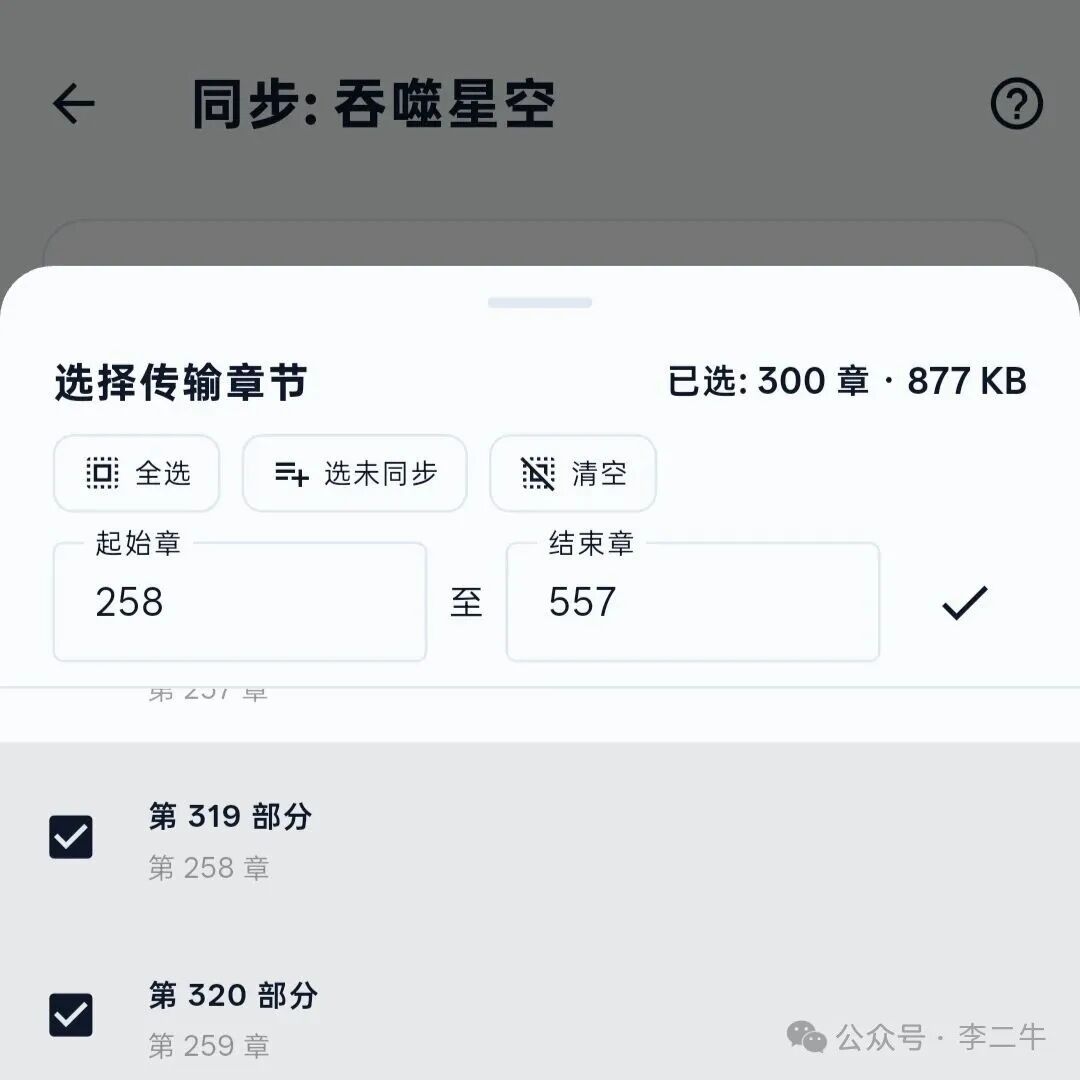
Earlier versions let you select chapters one by one or choose everything that had not yet been synced. Selecting one continuous section from the middle of a long novel still took too many taps.
Version 1.1.2 adds start and end fields to the chapter picker. Enter a range to select continuous content in one step, or drag across the list.
You can keep only the material you plan to read next instead of sending the entire book every time.
More Reliable Phone-to-Watch Transfers
Connect IQ communication can be affected by Bluetooth state, Garmin Connect, phone background policies, watch firmware, and device performance.
Version 1.1.2 cannot remove every interruption, but it is better at preventing one brief issue from failing an entire batch.
Handshake, transfer request, book metadata, and completion messages now use stricter job matching and retries. The phone ignores stale acknowledgements, while the watch recognizes duplicate requests tied to the active job.
When a transfer resumes after an interruption, WristTale checks which content was already saved on the watch. This reduces unnecessary retransmission and makes recovery more predictable.
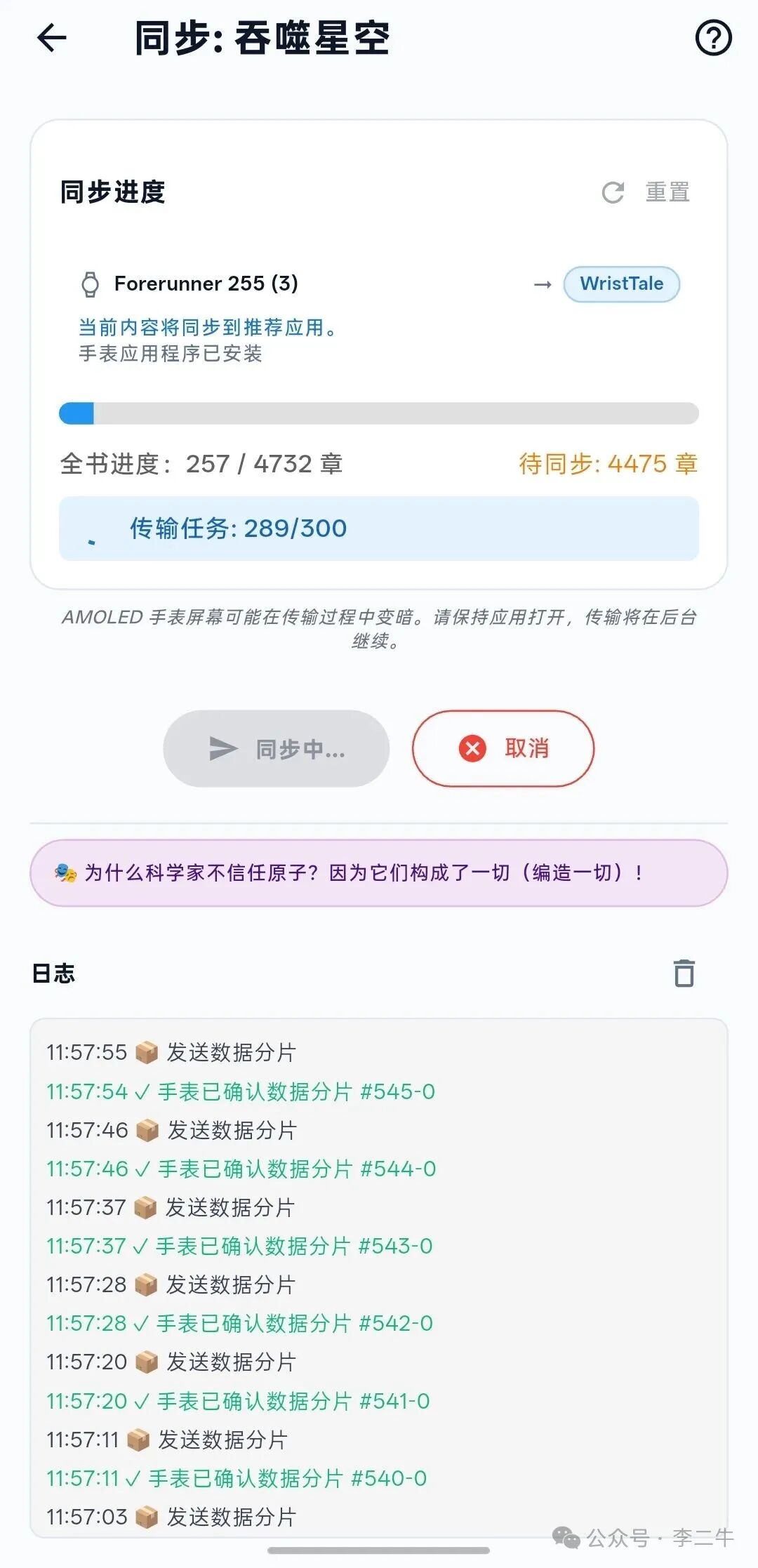
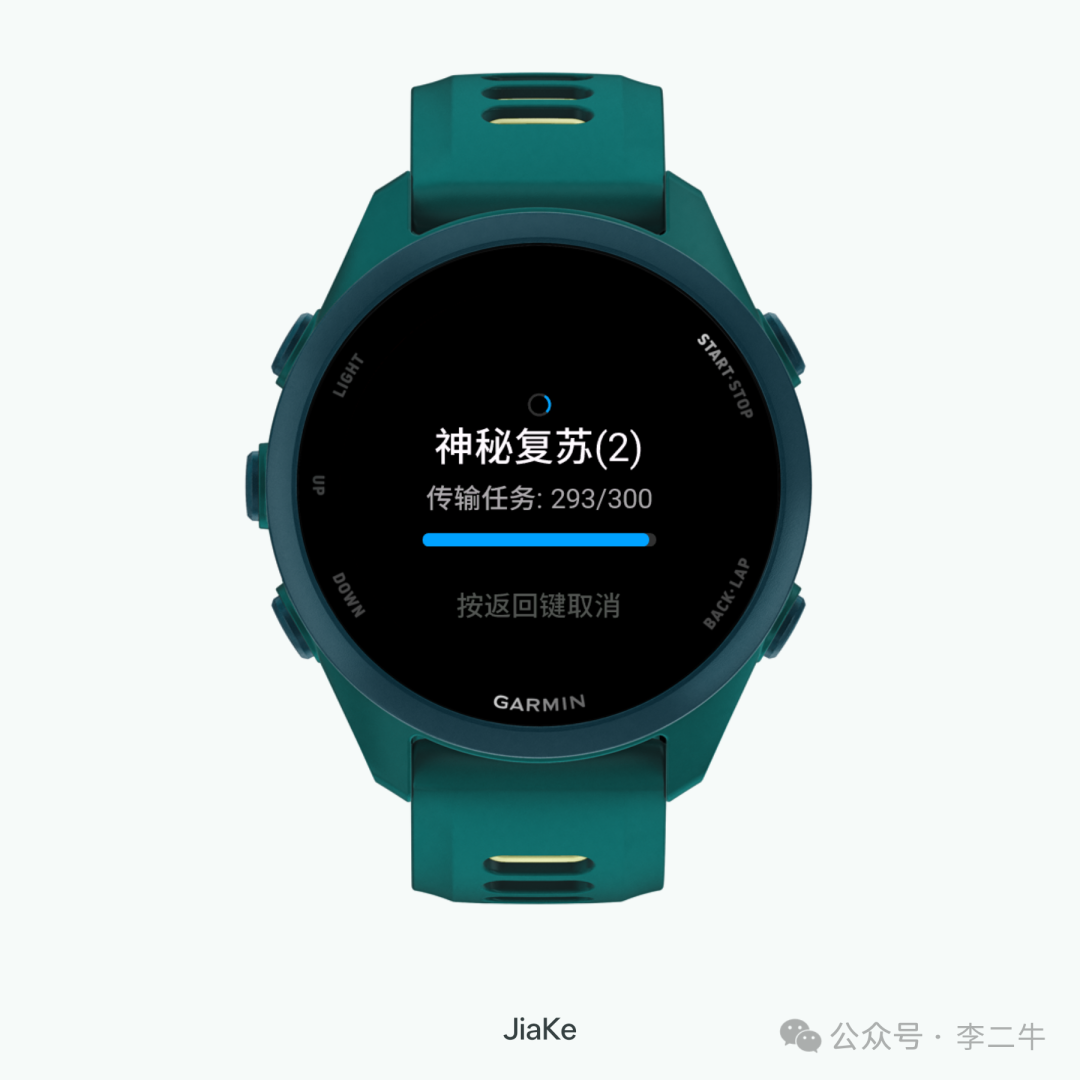
The companion watch app also improves transfer-session keep-alive and recovery behavior. This lowers the chance that button input or firmware behavior will interrupt an active transfer.
A batch can contain up to 300 transfer items when the limit is configured accordingly.
Better File Import and Chapter Detection
WristTale now appears in Android's “Open with” menu and Share sheet. A TXT file can be sent directly from messaging apps such as WeChat or QQ, or from a file manager, without saving it first and then searching for it again inside WristTale.
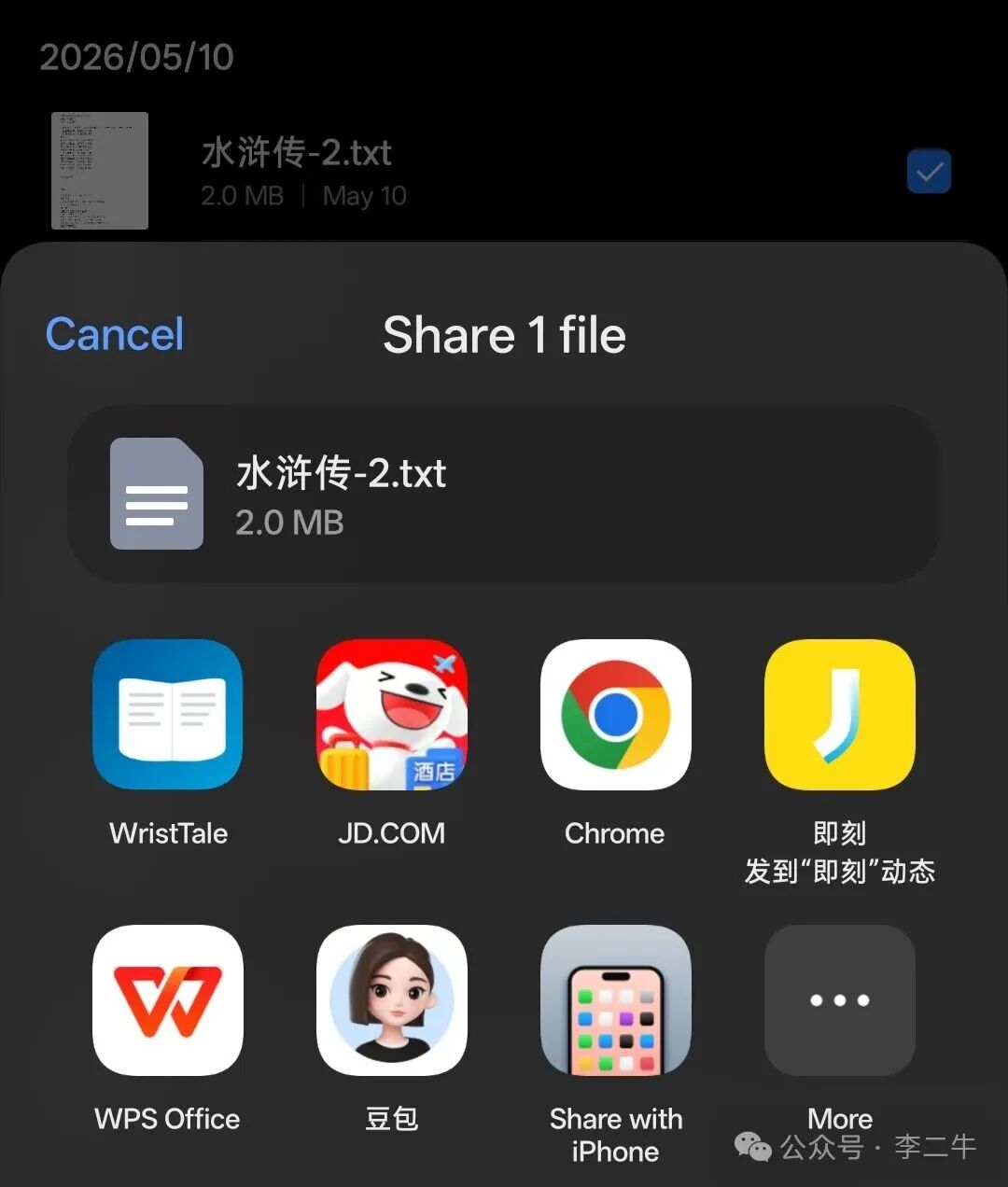
The iPhone app also includes a system file-opening entry point, subject to App Store review and release availability.
The text formatting tool can preview another encoding, normalize line endings, trim trailing spaces, collapse repeated blank lines, and save or share a cleaned TXT file.
Version 1.1.2 also handles more real-world book files correctly:
- Adds Big5 support for Traditional Chinese TXT files
- Adds Shift-JIS support for Japanese TXT files
- Recognizes more headings used in Chinese web novels, including prologues, side stories, epilogues, final chapters, and afterwords
- Fixes chapter detection when a number is followed immediately by a title or when a heading ends with punctuation
- Repairs trusted in-line chapter boundaries before retrying chapter detection
- Fixes an encoding-detection issue that could suggest the wrong preview for UTF-8 files larger than 256 KB
- Gives clear guidance when an EPUB, PDF, MOBI, archive, or image has been renamed with a
.txtextension
Large-file parsing is also more defensive. A small number of irregular headings no longer causes WristTale to discard an otherwise useful chapter structure for the entire book.
The Updated Watch App Adds “Jump to Chapter”
The updated watch app adds “Jump to Chapter” to the reading menu. Enter a number to move directly to content that has already been synced to the watch, instead of paging through a list containing hundreds or thousands of segments.
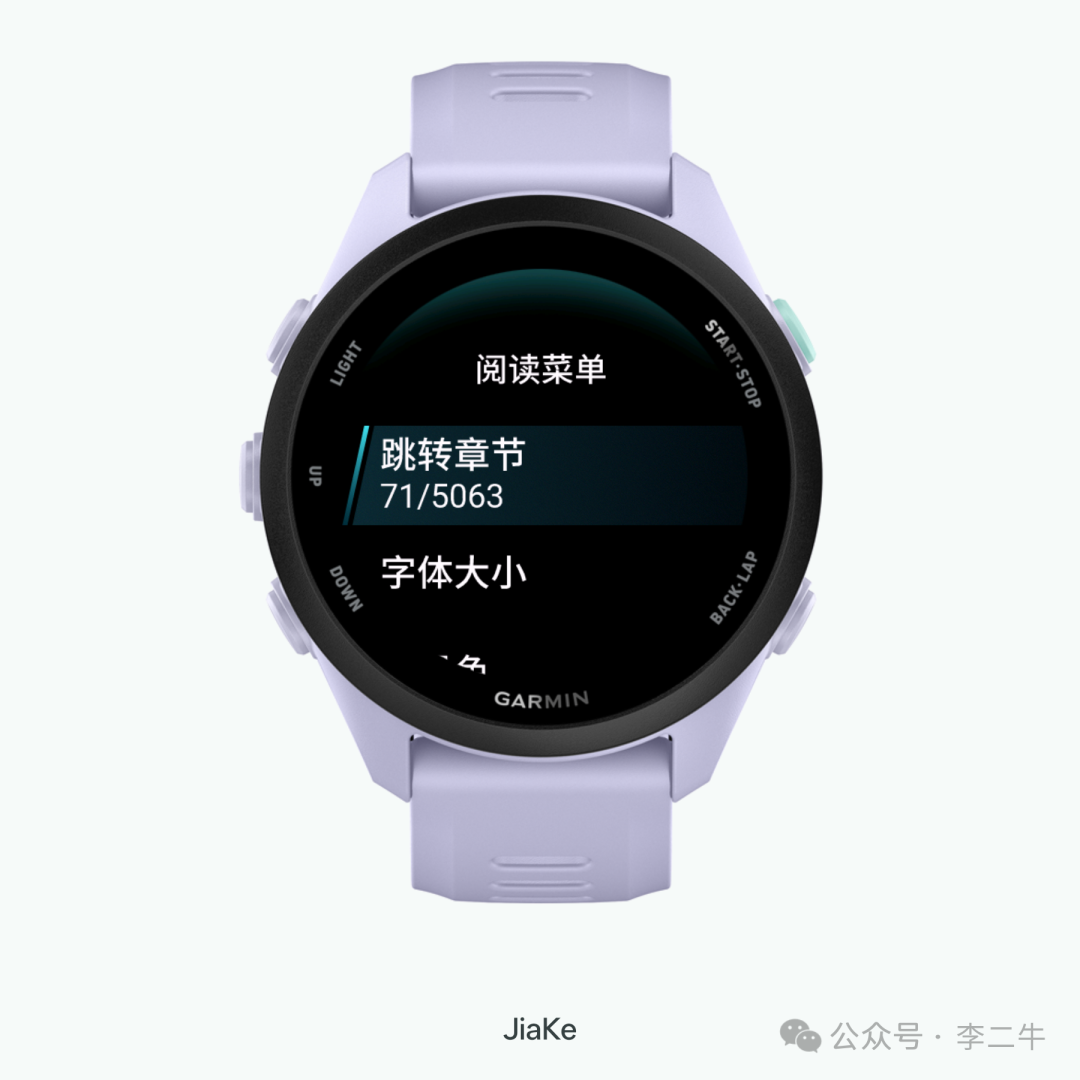
The number refers to the watch-side number assigned to an imported content segment, not necessarily the chapter number in the original book.
If one source chapter is split into several segments, entering 71 may open one part of that chapter.
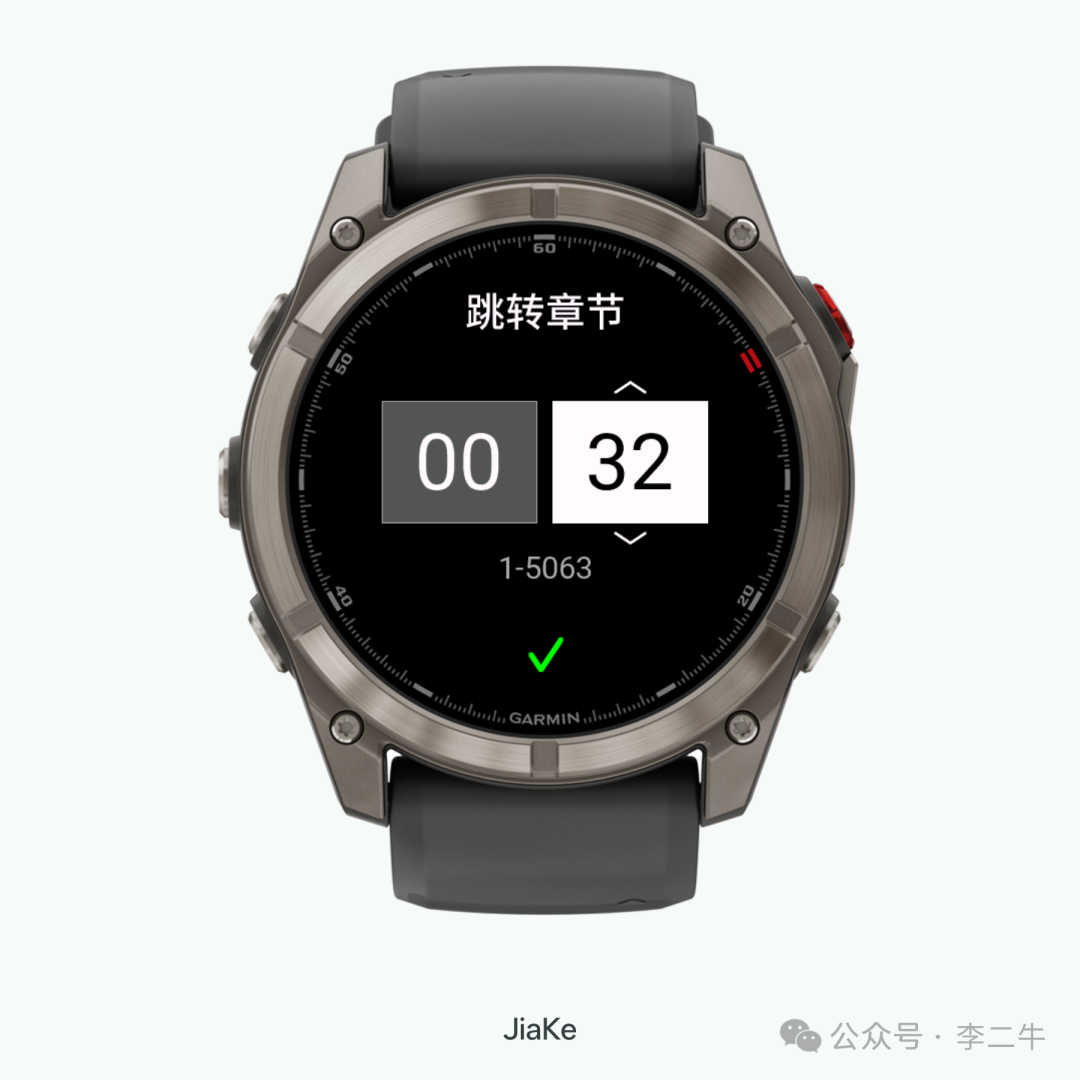
Reading progress is more accurate as well. Jumping no longer marks skipped segments as read. Only segments that were actually opened count toward progress, and a segment is completed only after the reader moves past its final page.
These features require a WristTale watch app version that includes the corresponding update. If Connect IQ does not show it yet, check again after the store finishes rolling out the new version.
Why Update to WristTale 1.1.2
If you regularly sync long novels, the biggest improvements are faster range selection and more dependable recovery after an interruption.
If your TXT files come from older devices, Chinese or Japanese sources, or different download sites, the encoding and parser updates reduce manual cleanup.
Install or update the watch app from the Garmin Connect IQ Store.
Mainland China Android users can get the 1.1.2 APK from the China download page.